Google Vault Migration Guide Take Your Vault Data Out of Google Workspace
Moving off Google Workspace? These guides cover how to take Vault data with you and where it should go.
- Six steps from export to import
- What does not move: matters and holds
- Routes into Microsoft 365
- PST import limits to plan around
- Retention hold and checks after import
- Checked against Google and Microsoft pages
By Shubham Dixit, Data Scientist and Technology Writer | Last checked 5 October 2026
Migration Planning Facts
| Question | Answer |
|---|---|
| What format does Vault give? | PST or MBOX for mail, ZIP for Drive and a ZIP of XML files for Gemini |
| What does Outlook need? | PST files. Create them with the Google Vault to PST Converter. |
| What does Thunderbird use? | MBOX or EML files |
| Will folders move across? | Not on their own. Vault puts every message in one folder, so labels must be rebuilt as folders. |
| How long do links last? | 15 days, so download every part early. See the Google Vault Export Guide for the steps. |
| Do holds move with the data? | No. The export holds messages and metadata. Rebuild holds with the new system tools. |
Plan a Google Vault Migration in Six Steps
A Vault migration is a chain, and every link has its own limit. Work through it in order. The export step has its own guide, so this page covers the rest.
List what you hold
Write down every matter, hold and retention rule you rely on. Add the accounts and services that every one covers. Google's domain transfer page says you must use the Vault API to download matters and holds.
Export in small groups
Split the work into one export per group of accounts or date range, so jobs finish inside Vault's 24-hour run time. The Google Vault Export Guide covers steps and limits.
Convert for the target
Microsoft's import service takes PST files, so convert MBOX exports first. The Google Vault to PST Converter writes PST files, and the Google Vault Gmail Converter also writes EML, MSG and more.
Move the data into Microsoft 365
Choose a route from the table below. Upload PST files with AzCopy for a bulk import or open them in Outlook for one mailbox.
Check the counts
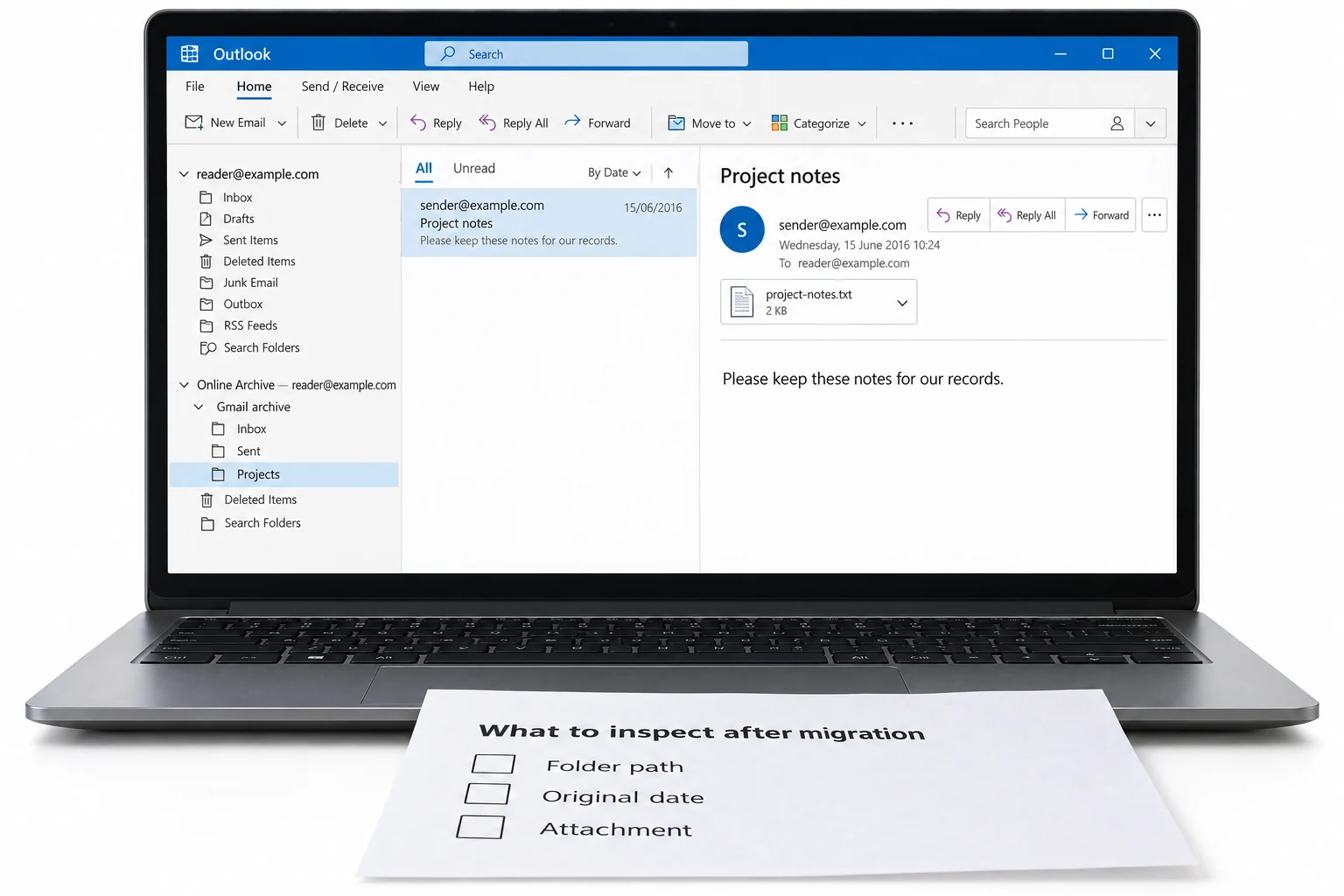
Compare the message counts in your Vault result counts file with the item counts in the new mailbox. Fix gaps before you cancel anything.
Recreate holds and retention
Rebuild every hold in Microsoft 365. Nothing in a Vault export puts a legal hold on the new mailbox.
What Does Not Move: Matters, Holds and Retention Rules
A Vault export is a copy of messages and metadata. It has no matters and no holds. Google says the same about its own domain transfer service: it cannot move Vault matters and holds, and an admin moves them by hand with the Vault API. Google's steps there: download matters and holds at least a week ahead, remove references to users, groups and shared drives that will not move, then upload.
For Microsoft 365, Litigation Hold is one documented way to keep mailbox content from being deleted. It keeps deleted items and the original version of edited items. It also applies to the archive mailbox. Enable it in the Microsoft 365 admin center or run Set-Mailbox user@contoso.com -LitigationHoldEnabled $true. It needs an Exchange Online Plan 2 license, or Plan 1 plus an Exchange Online Archiving license. You can set a duration in days, and a blank duration holds items until you remove the hold. Microsoft says a hold can take up to 240 minutes to apply. For the legal side of holds, see Google Vault eDiscovery and Compliance.
Choose Your Route into Microsoft 365
| Route | How it works | Plan around |
|---|---|---|
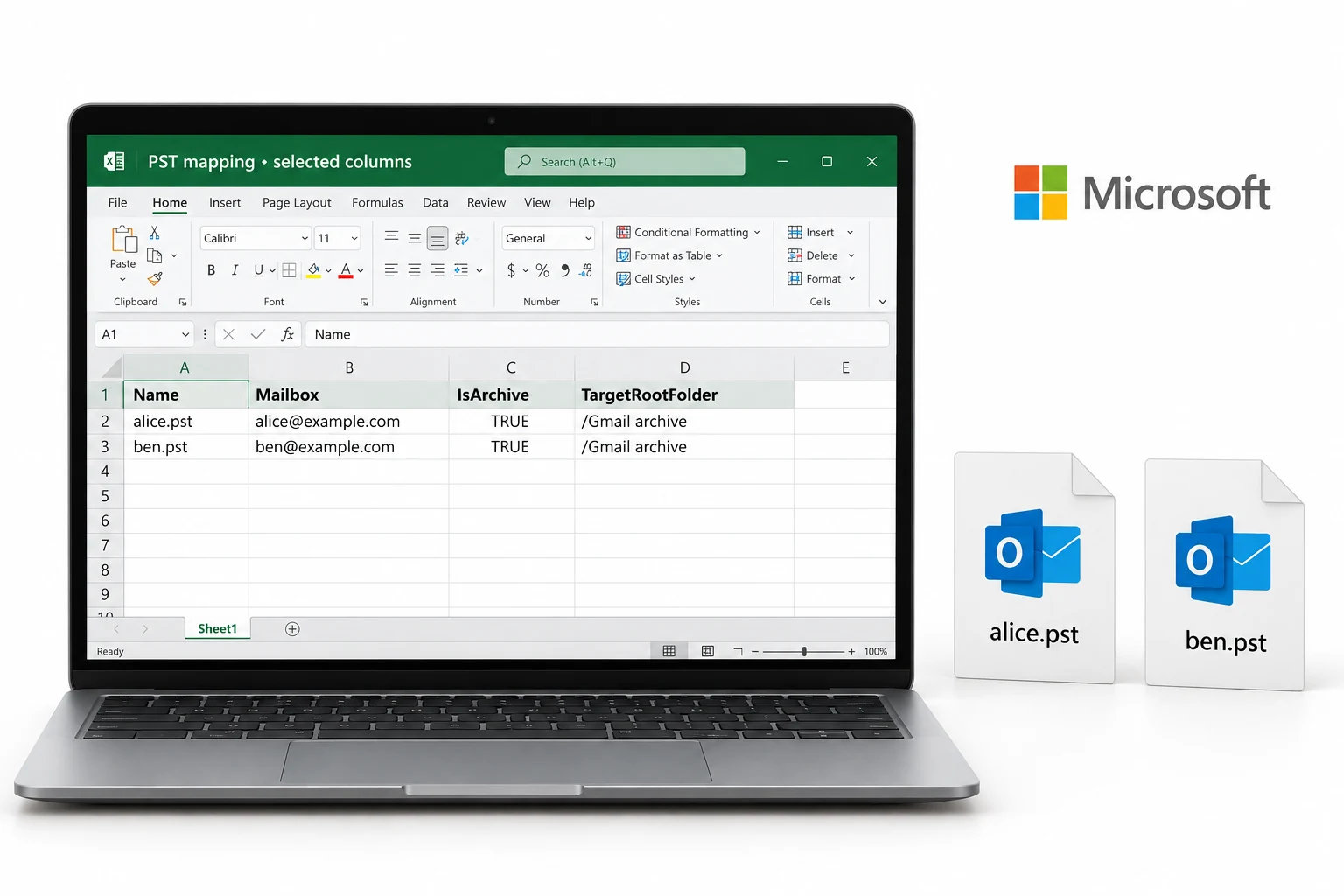
| Purview PST import | Upload PST files to Azure with AzCopy, list them in a mapping CSV, then create an import job in Microsoft Purview | Free. Needs the Mailbox Import Export and Mail Recipients roles, or global administrator rights |
| Drive shipping | Microsoft receives your disks and uploads the PST files for you | Costs apply and it needs an Enterprise Agreement. Microsoft says to expect 7 to 10 business days after it receives the drive |
| Outlook import | A user opens a PST in Outlook and imports it into their mailbox. Steps are on the Google Vault to PST Converter page | Suits one mailbox at a time |
| Mailbox upload | Vault Converter lists Office 365 as an upload target next to its file formats. Details are on the Google Vault Gmail Converter page | Check the size limits for the mailbox you load |
Microsoft has also announced a PowerShell-based Azure PST Import that reads PST files from Azure Blob Storage, runs an analyze step first and has no screen of its own. Its dates have moved more than once, so check the Microsoft 365 message center before you plan around it.
PST Import Limits to Plan Around
| Limit | Figure | Effect on your import |
|---|---|---|
| PST file size | 20 GB recommended | Bigger files slow the import down |
| Single item | 150 MB | Microsoft skips larger items and does not import them |
| Archive mailbox | 100 GB for every import | The import does not target auto-expanding archive storage, so split larger sets |
| Folder depth | Under 300 nested levels | A deeper PST fails validation |
| Speed | About 24 GB a day for every mailbox | Microsoft does not guarantee it. PST files for one mailbox run one after another. Files for different mailboxes run in parallel |
If a PST holds items over 35 MB, Microsoft sets the MaxReceiveSize property on the target mailbox to 150 MB. Vault splits PST output at 1 GB, so its own parts stay far below the 20 GB advice. Check the size of any PST that a converter writes.
After the Import: Retention Hold and Checks
Microsoft enables retention hold on the mailbox after a PST import and keeps it on with no end date. While it is on, the mailbox's retention policy does not run. Retention hold is not a legal hold, because users can still delete mail and other policies still apply. Use Litigation Hold when the imported mail must be kept. An admin can disable retention hold or set a date for it to end. Decide this before you close the project, because the hold stays until someone removes it.
Check the result with counts. Take the message count at export time and before the import, then compare both with the new mailbox. Migration vendor BitTitan gives the same advice and adds one more. If another tool moves the primary mailboxes, export only the permanently deleted items from Vault, so the same mail does not arrive twice. If an export fails, open Google Vault Export Errors and Fixes.
Sources: Google Workspace Admin Help on transferring Vault data and Google for Developers on the Vault API. Microsoft Learn on the PST import overview and Litigation Hold. Microsoft 365 message center item MC1455013 on Azure PST Import. BitTitan on Vault migration best practices. Last checked 5 October 2026.
Google Vault to PST Converter
Convert Vault exports to PST for Outlook and Microsoft 365.
Google Vault eDiscovery and Compliance
Keeping Vault data for legal or audit reasons? Read the eDiscovery hub.
Open the guideFrequently Asked Questions
Can I import a Vault MBOX straight into Microsoft 365?
Microsoft's PST import service takes PST files, so convert the MBOX to PST first.
How do I migrate Google Vault data to Office 365?
Microsoft 365 is the current name for Office 365. Export from Vault, convert MBOX files to PST, then import the PST files with Microsoft's import service. Vault does not move matters or holds, so rebuild them in Microsoft Purview.
How large can a PST file be for a Microsoft 365 import?
Microsoft recommends PST files no larger than 20 GB. Larger files can slow the import.
What should I do before I cancel Workspace?
Export every data type you need, convert it and keep your own copies before access ends.
How do I upload PST files to Microsoft 365?
Use the Microsoft Purview import service. For network upload, Microsoft documents AzCopy as the only supported tool.
Can I import PST files into an archive mailbox?
Yes. Set IsArchive to TRUE in the PST Import mapping file. FALSE is the default and imports into the primary mailbox.
Which roles do I need for a PST import?
You need the Mailbox Import Export and Mail Recipients roles in Exchange Online or global administrator rights.
Does a Google Vault export include matters and holds?
No. An export holds messages and metadata. Google says even its domain transfer service cannot move Vault matters and holds, so admins move them with the Vault API. Recreate holds in Microsoft 365.
How do I keep a legal hold after the move to Microsoft 365?
Microsoft documents Litigation Hold. Enable it in the Microsoft 365 admin center or run Set-Mailbox user@contoso.com -LitigationHoldEnabled $true. It needs an Exchange Online Plan 2 license, or Plan 1 plus an Exchange Online Archiving license. It keeps deleted items and also covers the archive mailbox. A blank duration holds items until you remove the hold.
How long does a PST import take?
Microsoft quotes about 24 GB a day for every mailbox and does not guarantee it. PST files for one mailbox import one after another, while files for different mailboxes run in parallel.
What happens to a message over 150 MB in a PST import?
Microsoft skips it and does not import it. That is the maximum message size in Exchange Online. If a PST has items over 35 MB, Microsoft sets MaxReceiveSize on the mailbox to 150 MB.
Will my retention policy delete imported mail?
Not at first. Microsoft enables retention hold on the mailbox after the import with no end date, so the retention policy does not run. That is not a legal hold, because users can still delete mail. An admin can disable retention hold or set an end date, and Litigation Hold protects the mail.
Can I ship disks to Microsoft instead of uploading PST files?
Yes. Drive shipping costs money and needs an Enterprise Agreement. Microsoft allows up to 10 TB for every drive and 10 drives for every job, and it needs 7 to 10 business days after the drive arrives.
Key Takeaways
- Export first, then convert to the format of the new system.
- Microsoft's PST import takes PST files, so convert MBOX before the import.
- Keep every PST file under the 20 GB that Microsoft recommends.
- Microsoft skips any item over 150 MB.
- Matters and holds do not travel in an export. Recreate them.
- An import enables retention hold on the mailbox until someone ends it.
- Compare counts at export, before the import and after it.
- Keep your own copies until the new system holds all the data.
Shubham Dixit
Shubham Dixit is a Data Scientist and Technology Writer and a Subject Matter Expert at Hostvik. He writes about email solutions, hosting services and backup technologies. He wrote this guide to help teams plan the move of Vault data into Outlook and Microsoft 365.
Keep Exploring
Google Vault Export Guide
Formats, split sizes and limits for every Vault data type.
Open the pageHow to Open a Google Vault Export
Learn which program opens MBOX, PST and ZIP files.
Open the pageGoogle Vault eDiscovery and Compliance
Chain of custody, metadata XML and PDF review sets.
Open the pageGoogle Vault Export Errors and Fixes
Fix partial results, expired links and failed downloads.
Open the pageGoogle Vault Gmail Converter
Eight file formats and mailbox upload for Gmail exports.
Open the pageHow It Works
Four steps from export to output, plus system requirements.
Open the pageTry Vault Converter on Your Own Export
The free trial converts the first 10 messages of every MBOX file. No card needed.